
Privacy-first analytics tools have gone from niche to mainstream. Many teams now compare Plausible, Fathom, Simple Analytics or Umami when they move away from heavyweight platforms. UI, privacy posture and integrations usually get most of the attention.
But in the long run, the pricing model quietly shapes your costs, your tracking strategy and even how comfortable you feel experimenting with new campaigns.
If you want a deeper look at how these tools compare beyond the price tag, a dedicated comparison of modern privacy-first analytics tools can help you see how they behave day to day for marketers and site owners — not just in a feature checklist. That kind of view is captured in this comparison of modern privacy-first analytics tools, which you can keep open while you evaluate pricing.
Why pricing models matter more than headline price
Most teams start by comparing the number on the pricing page: “$19 vs $29 per month”. That’s necessary, but it hides the real question: what exactly are we paying for, and how does that scale with our usage?
In practice, privacy-first analytics tools usually charge based on one or more of these inputs:
- Events or pageviews per month (visits, custom events, etc.).
- Number of websites or projects in the account.
- Data retention period (months or years).
- Support level and extra features (funnels, revenue reports, API limits).
Two tools with the same entry price can behave very differently once your traffic changes:
- A pageview-based plan may be predictable for content sites but painful for a viral campaign with lots of low-value traffic.
- An event-based plan may reward you for keeping your event taxonomy clean but punish noisy tracking that logs everything.
- Self-hosted options shift the cost to infrastructure and internal time instead of subscription tiers.
If you ignore the underlying model, you can end up:
- Overpaying for seasonal spikes that don’t actually drive revenue.
- Hesitating to add useful events because you are afraid of crossing a billing threshold.
- Stuck on a plan that doesn’t fit your mix of sites (for example, many tiny projects vs one large domain).
Thinking in terms of usage drivers rather than “cheap vs expensive” keeps you closer to reality.
How modern privacy-first tools think about usage
While every vendor is different, you’ll see a few common patterns when you read through their pricing and documentation.
Many privacy-first tools built as alternatives to traditional analytics use pageviews plus custom events as the main billing metric. For example, Plausible explains that its subscription tiers are based on the combined number of pageviews and custom events across all sites in your account, with custom events like outbound link clicks or file downloads counted toward the same pool. This approach is simple to reason about: more real-world interactions generally mean more value and more cost.
Others lean on monthly pageview buckets with clear thresholds. Fathom’s public pricing, for instance, exposes plan tiers in pageview ranges (up to a certain number of monthly pageviews, then the next tier, and so on). That keeps billing predictable for sites with relatively stable traffic and is easy for non-technical stakeholders to understand.
Simple Analytics takes a similar “how much traffic are you tracking” stance, offering paid plans with different datapoint or pageview allowances, alongside a limited free option for smaller sites that stay within a defined cap. This can be attractive if you want to start small and only pay more once the site grows.
Umami Cloud measures usage by events, where each pageview is one event and each stored event property also counts as an event. That makes the pricing very direct: the more data you collect, the more you pay, regardless of which site it comes from. If you self-host Umami instead of using Cloud, you swap subscription tiers for infrastructure costs (hosting, database, maintenance) and internal engineering time to keep everything running smoothly.
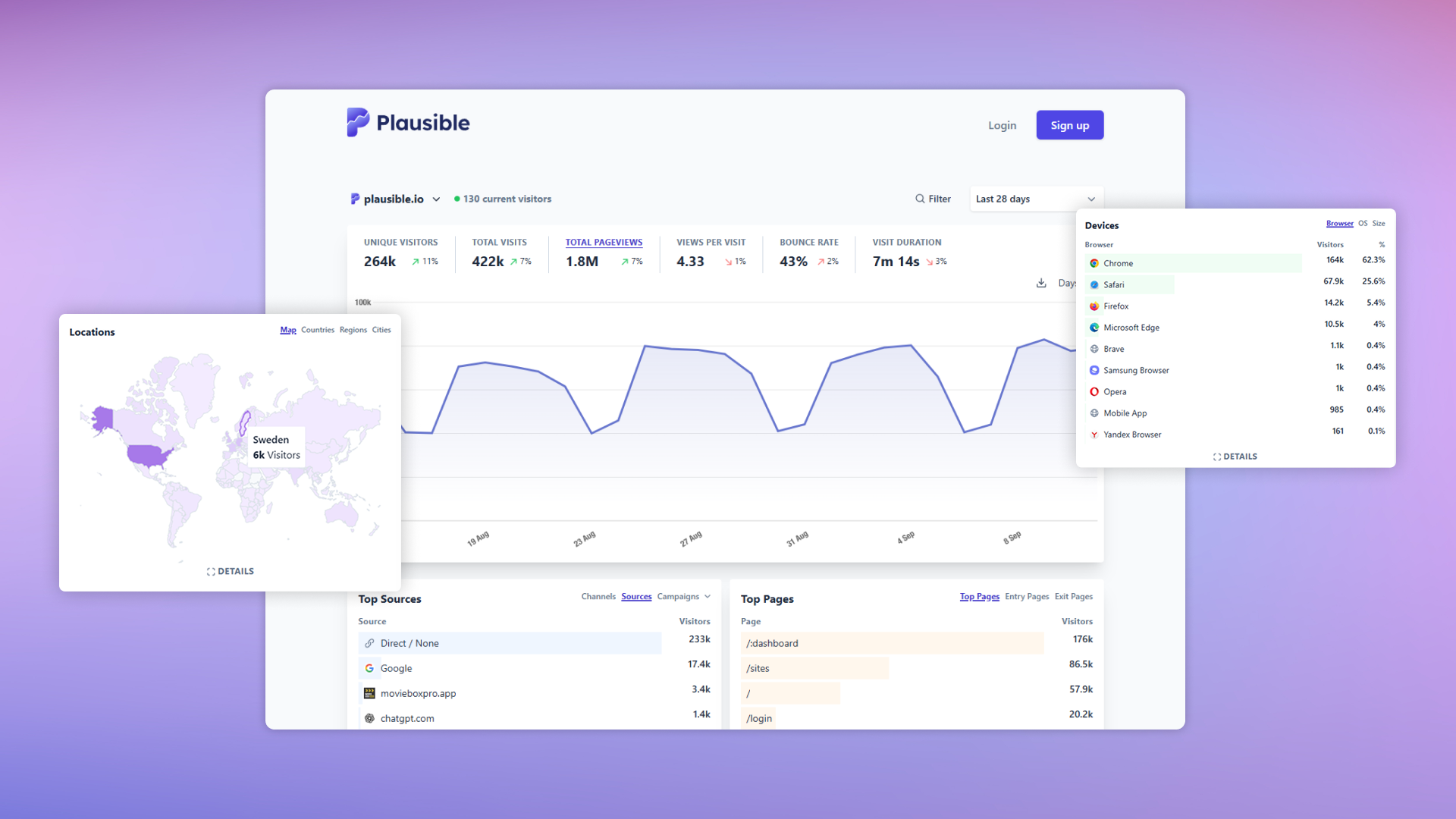
Most vendors spell out these details in their docs; it’s worth reading at least one example, such as the Plausible Analytics subscription documentation, before you run your own numbers. You’ll get a feel for how “pageviews”, “events” and “sites” are defined in real billing logic.
Questions to ask before you pick a pricing model
Instead of trying to memorise every line of each pricing page, it’s more practical to ask a short set of structured questions and run rough scenarios.
Here are useful prompts to walk through with your team:
- How spiky is our traffic?
- Do we have seasonal campaigns or one-off launches that double traffic for a week?
- Would those spikes push us into a higher tier, and if so, is that acceptable?
- How many sites and environments do we track?
- Are we an agency with dozens of small clients, or a product team with one main domain and a few microsites?
- Do staging and test environments count toward our quota?
- What’s our event strategy?
- Do we mostly care about pageviews and 3–5 key conversions, or do we log many granular events (scroll depth, every click, lots of custom properties)?
- On an events-based plan, can we simplify our taxonomy and still get the insights we need?
- How important is long data retention?
- Are we happy with 6–12 months of data for tactical decisions, or do we need several years for long sales cycles?
- If retention is shorter on cheaper plans, what’s our plan for exports?
- Do we have the capacity to self-host?
- With self-hosted tools, can our team handle updates, backups, monitoring and scaling?
- Are infrastructure and labour costs likely to be lower or higher than a hosted subscription at our current size?
- Who actually reads the reports?
- If non-technical stakeholders rely on the analytics UI every week, a slightly more expensive plan with a clearer interface may be cheaper than the time spent cleaning up confusing reports.
You don’t need perfect answers. Even a rough estimate of monthly traffic, planned events and number of sites is enough to model two or three pricing scenarios and see which approach fits your reality.
Putting pricing models into practice
Once you understand the logic behind each pricing model, the actual decision becomes more straightforward.
A practical workflow might look like this:
- Start from your own numbers.
Take a typical month’s pageviews or sessions from your current tool, plus a realistic estimate of how many events you’ll track once you clean up your implementation. - Map those numbers to 2–3 candidate tools.
Use each vendor’s plan table to see where you’d land today and what happens if traffic grows by, say, 50%. Pay attention to overage rules and automatic upgrades. - Run one short trial with real tracking.
Implement basic tracking (pageviews + 3–5 key events) and watch how your usage counter moves over a couple of weeks. If you see that you’re burning through quota faster than expected, you can adjust events or reconsider the model. - Consider UX and pricing together.
Pricing that looks perfect on paper may not be worth it if stakeholders dislike using the tool. It’s reasonable to pay a little more if a friendlier interface makes reporting, QA and decision-making noticeably faster. - Revisit once a year.
Traffic, product strategy and campaign volume all change. A yearly check-in is usually enough to confirm that your current model still makes sense or to justify a switch.
When you line up your own usage profile against how each tool charges, the choice becomes less about which logo is trendier and more about fit. A clear understanding of pricing models helps you avoid surprise bills, keep your tracking lean and stay confident that your analytics setup will scale with your plans.
